NightLapse
Capture interval photos. Encode an MP4 on the device.
NightLapse is built for long night sessions: manual shutter, ISO, EV and focus, real camera lenses when the phone has them, a last-shot overlay so you can judge exposure, and a black energy-saver layer for OLED screens. When you stop, frames are stitched into a video and saved in the NightLapse album.
01. First launch
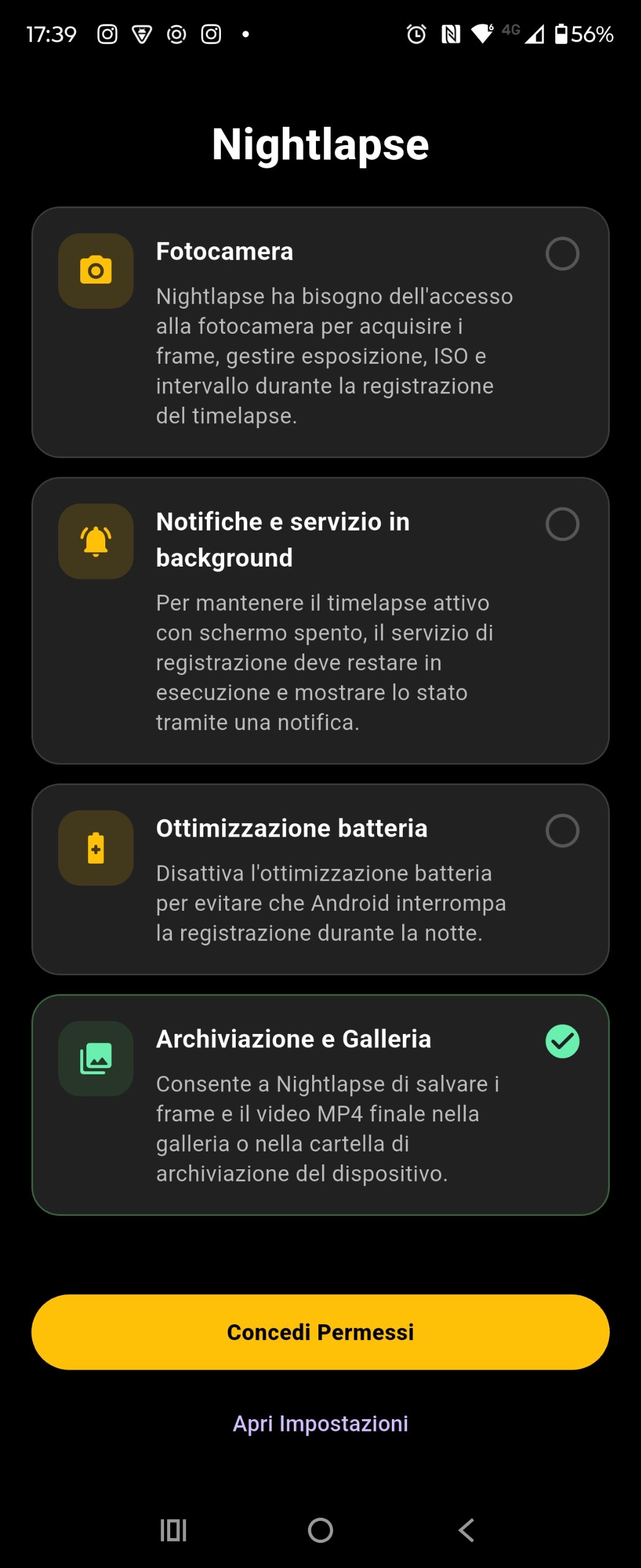
NightLapse cannot record with the screen off, or save the finished MP4, until four permissions are granted:
- Camera — live preview and still frames (exposure, ISO, interval).
- Notifications / background service — a persistent notification keeps capture and encoding alive.
- Storage & media — write frames and the final video to the NightLapse album.
- Battery optimization off — Android will otherwise kill a multi-hour night session.
Tap Grant Permissions. If a tile stays grey, tap Open Settings and allow the missing item, then return to the app.
 Screenshot placeholder
images/guide-permissions.png
02. Camera screen
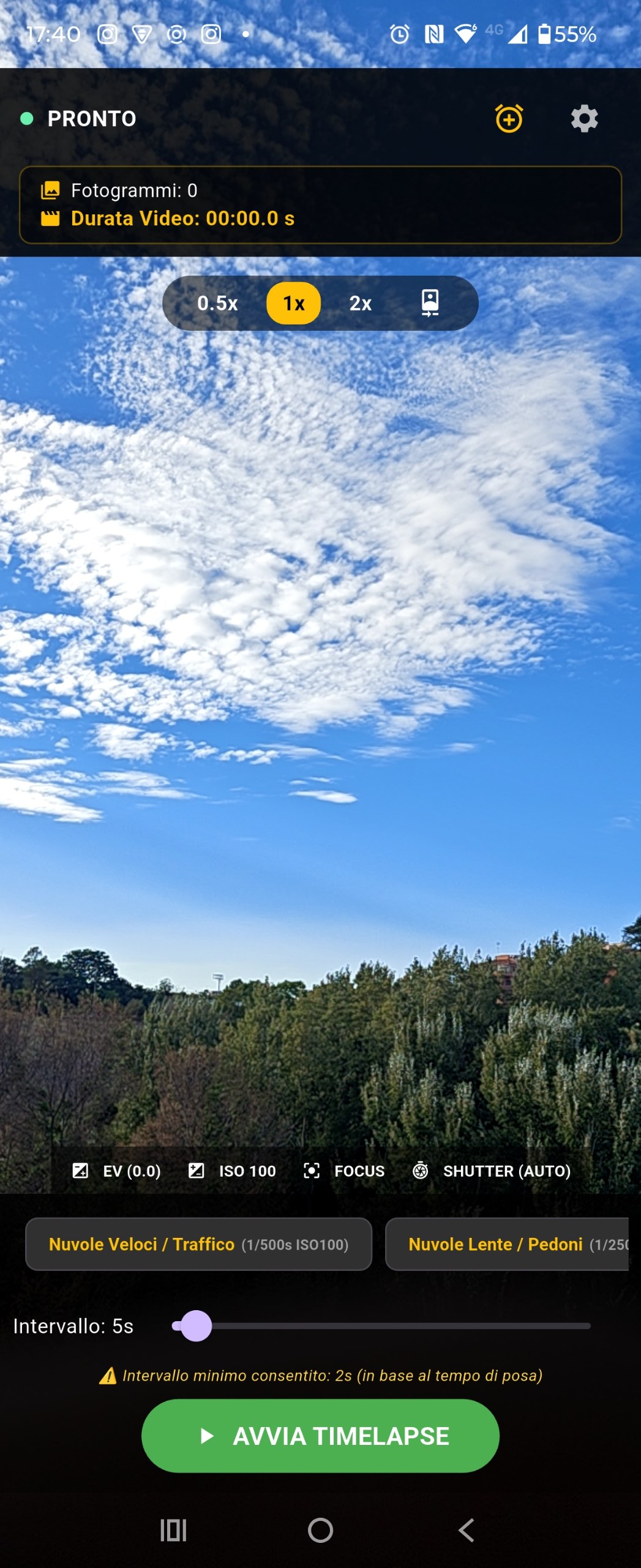
This is the home of the app. Top to bottom:
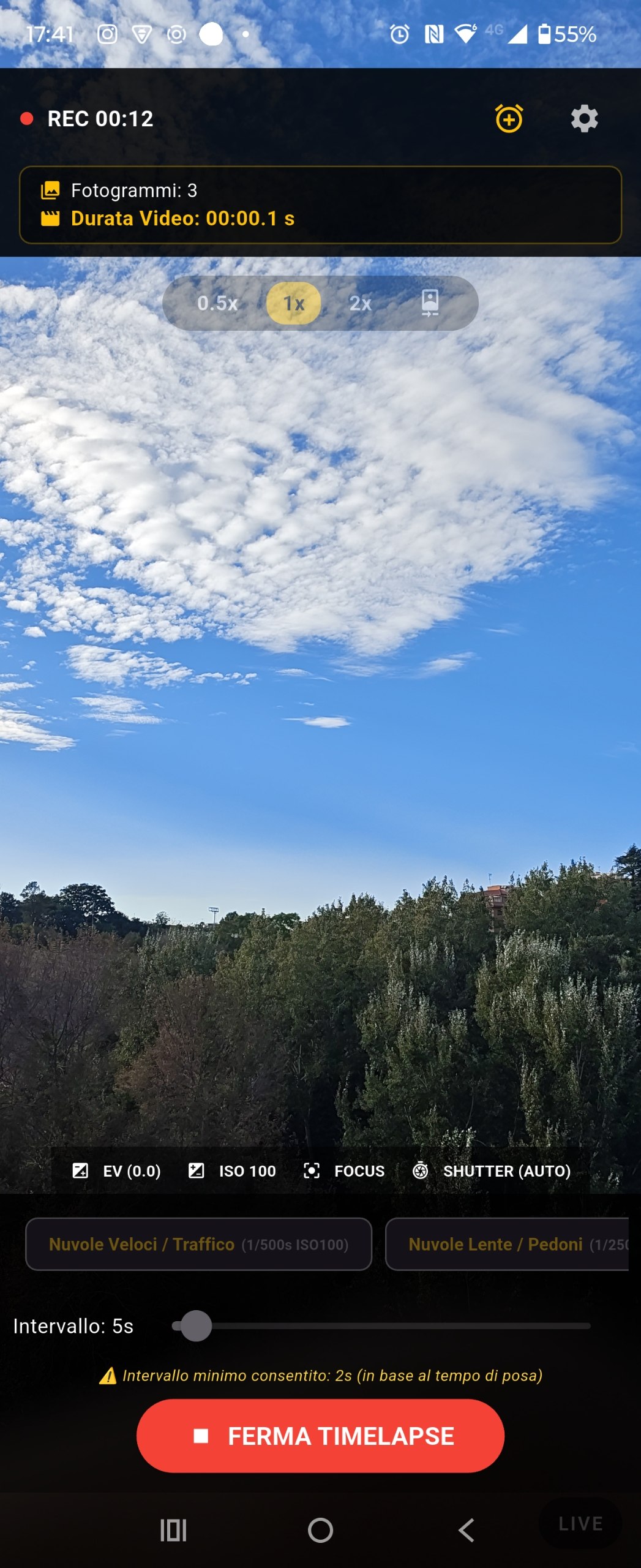
- Header — READY or REC + elapsed time, interval, frame count, estimated output length (frames ÷ export FPS). Gear opens Settings. Clock icon opens Scheduled Start.
- Lens row — hardware lenses that actually exist on this phone, plus digital zoom on the active lens. Front camera is a selfie icon. Locked while a timelapse is running.
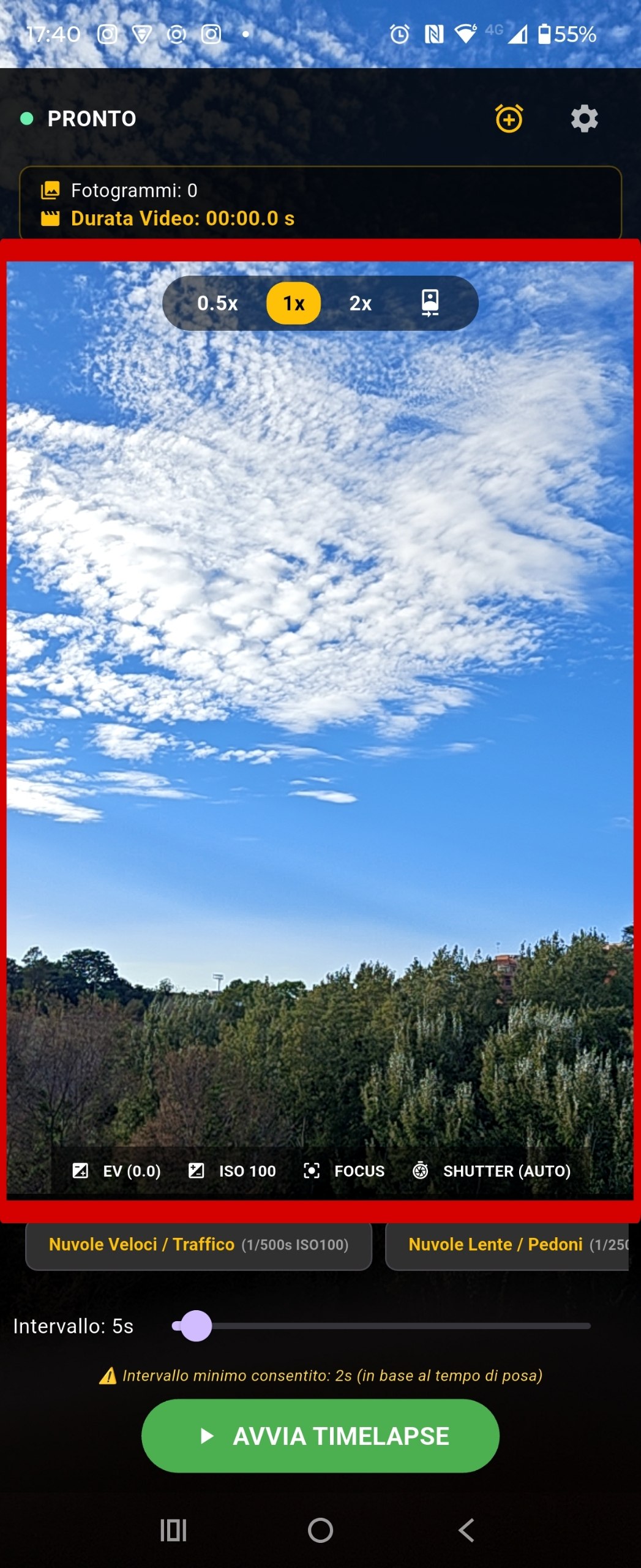
- Live preview — after each frame, replaced by the last JPEG until the next shot or you tap LIVE.
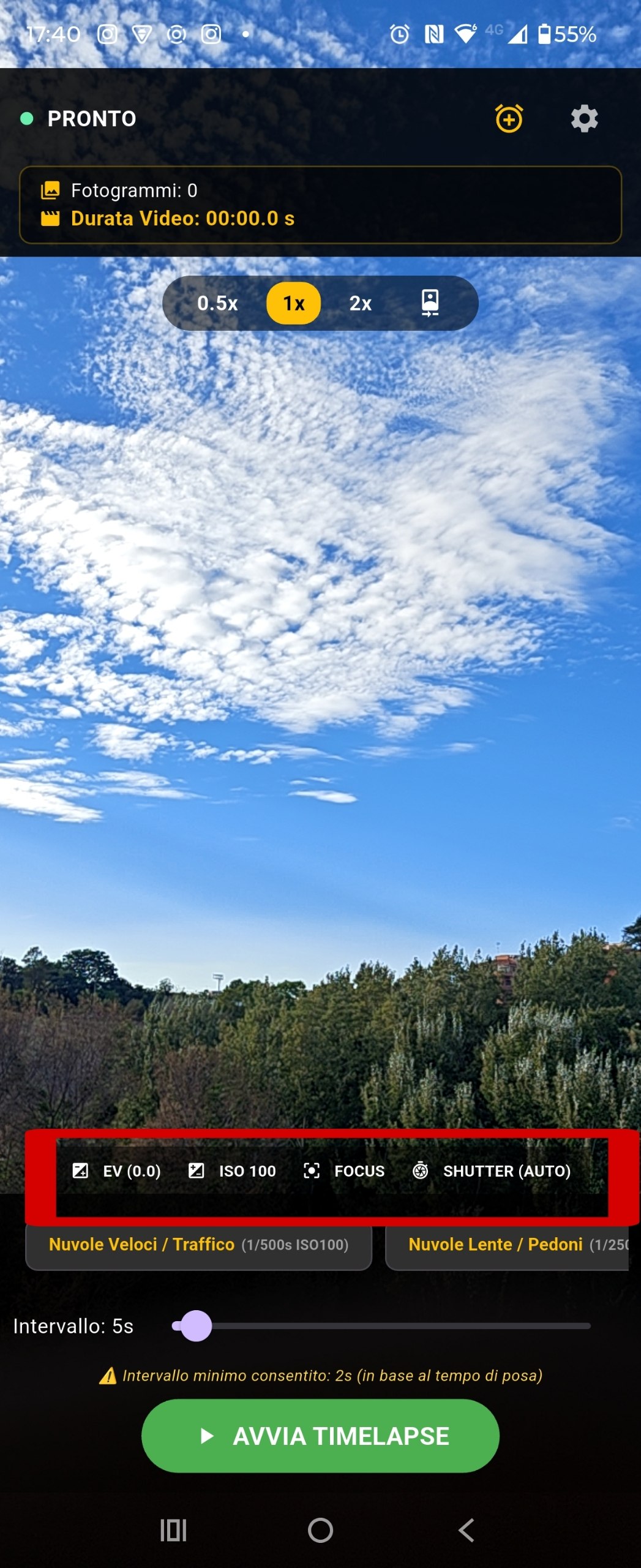
- Pro controls — EV, ISO, FOCUS, SHUTTER. Tap a button to open its ruler.
- Preset chips — one tap applies shutter, ISO and a recommended interval.
- Interval slider — 2–60 seconds, never shorter than the current shutter time.
- START TIMELAPSE / STOP TIMELAPSE
 Screenshot placeholder
images/guide-camera-idle.png
03. Lenses & zoom
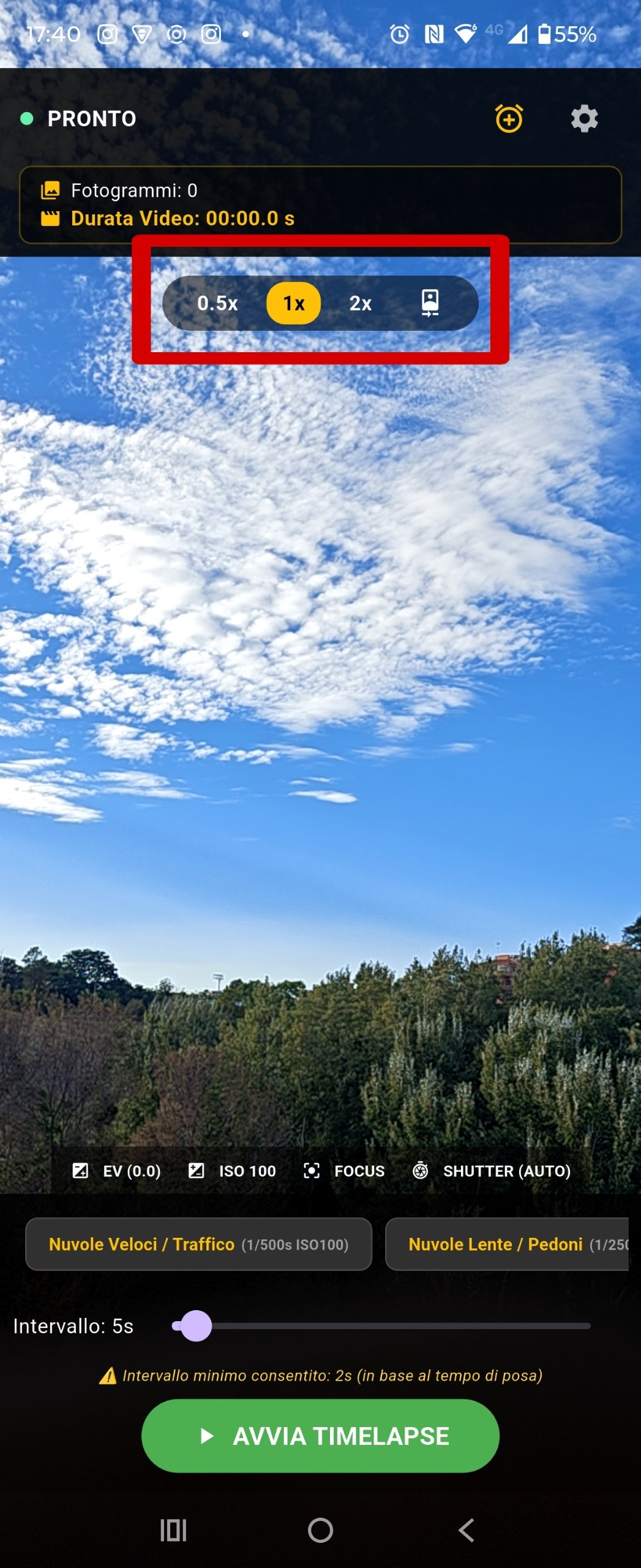
NightLapse lists only cameras the OS reports. Labels follow how many rear modules exist:
| Phone | What you see |
|---|---|
| One rear camera | 1x plus digital steps if the module allows them |
| Two rear cameras | 0.5x ultra-wide and 1x main |
| Three rear cameras | 0.5x / 1x / 2x (telephoto) |
| Front camera | Selfie icon — not a zoom number |
Digital zoom (typically 0.5× or 2×) appears only when the active lens can reach that factor. Switching a hardware lens re-binds the camera; digital zoom only changes the zoom level. Leaving the app and coming back restores the same lens. The selector is disabled during capture so the session stays on one optical path.
 Screenshot placeholder
images/guide-lenses.png
04. Manual controls
| Control | What it does |
|---|---|
| EV | Exposure compensation on the live preview and on the saved JPEG. Range comes from the camera (often about −2 to +2). |
| ISO | Standard stops that fit this sensor (50–12800 clipped to hardware min/max). |
| FOCUS | AUTO, MACRO, 0.5 m, 1.0 m, 3.0 m, INF. Use INF for stars. |
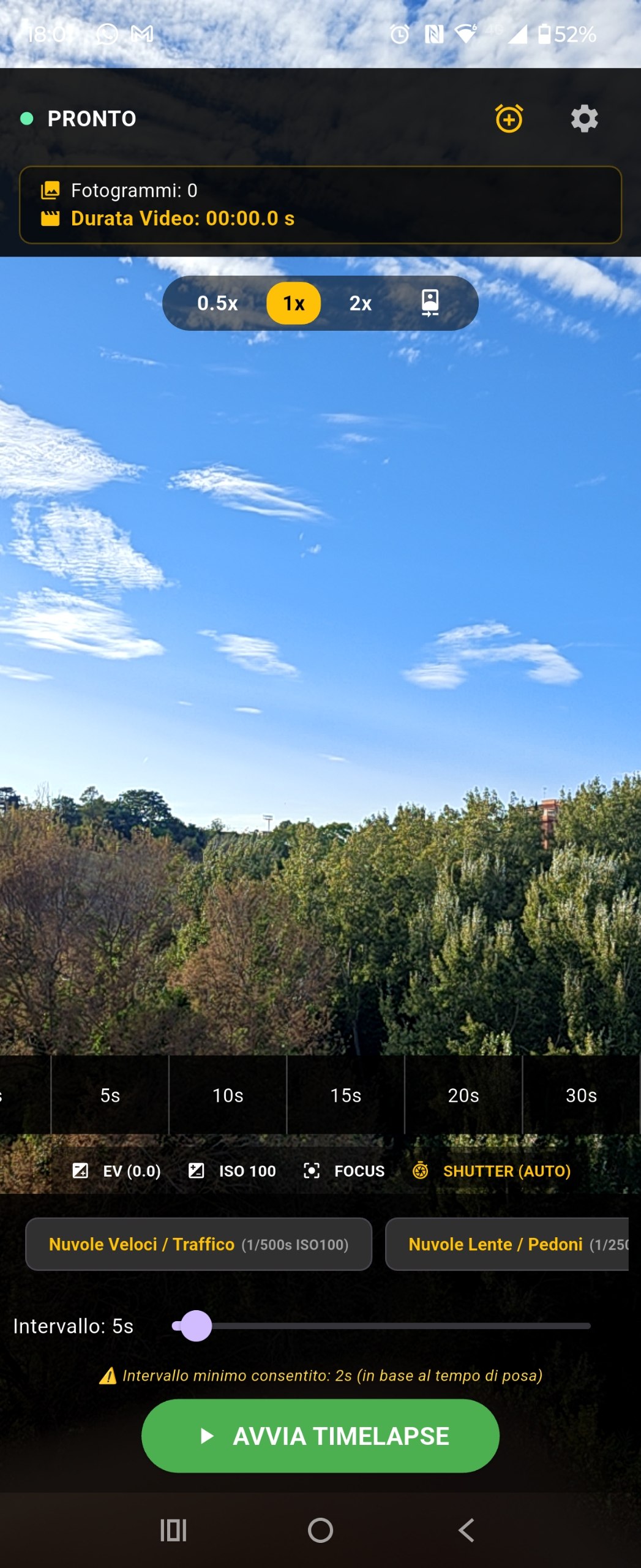
| SHUTTER | AUTO, then 1/1000 s down to 30 s. Long values hand off to native capture. |
While a long exposure is being taken you may see a brief “hardware capture in progress” state. Do not force-close the app mid-shot.
images/guide-control-shutter.png
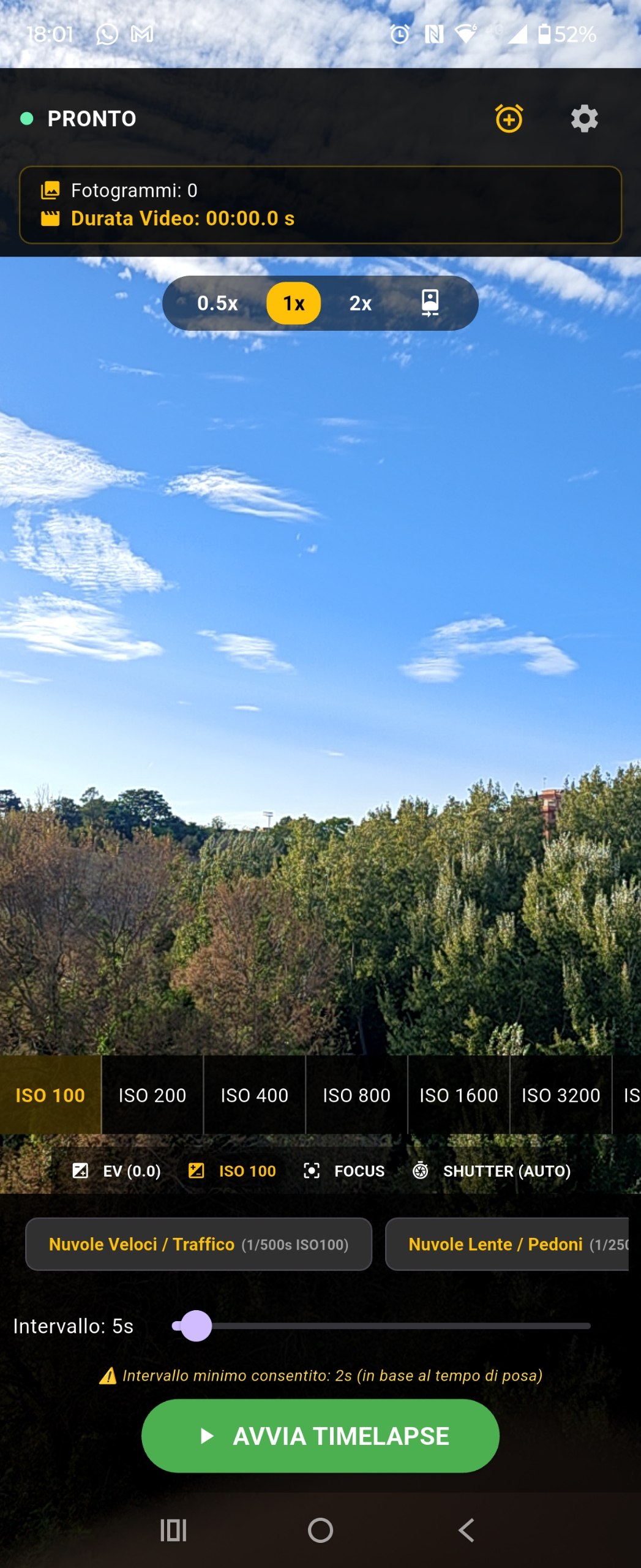
images/guide-control-iso.png
05. Scene presets
Presets set shutter, ISO and a recommended interval. You can still tweak any value afterwards. Hide the chip bar or add a custom preset under Settings → Preset & Shot.
| Preset | Shutter | ISO | Interval |
|---|---|---|---|
| Fast Clouds / Traffic | 1/500 s | 100 | 2 s |
| Slow Clouds / Pedestrians | 1/250 s | 100 | 4 s |
| Sunset / Sunrise | 1 s | 200 | 6 s |
| Stars / Milky Way | 15 s | 1600 | 18 s |
| Starry Sky (No Light) | 30 s | 3200 | 32 s |
| Star Trail (Streaks) | 30 s | 800 | 32 s |
 Screenshot placeholder
images/guide-presets.png
06. Interval
Interval is the gap from the start of one frame to the start of the next. NightLapse will not let it drop below shutter time + a small safety margin — otherwise shots overlap and the camera drops frames.
Example: shutter 15 s → minimum interval 18 s on the Stars / Milky Way preset. A warning appears if you try to go lower.
Output length is frame count ÷ export FPS. At 30 fps, 1800 frames = 60 seconds of video. Plan session length from that, not from wall-clock time.
07. Last-shot overlay
After every frame the captured JPEG covers the live view, with EV already applied. Use it to check brightness and focus before the next interval fires.
The overlay clears when:
- the next shot starts,
- you tap LIVE (or the image itself),
- you stop the timelapse.
 Screenshot placeholder
images/guide-last-shot-overlay.png
08. Start a session
Tap START TIMELAPSE. A notification titled “Nightlapse recording” appears and stays until encoding finishes. You can lock the phone; the session continues if battery optimization is off.
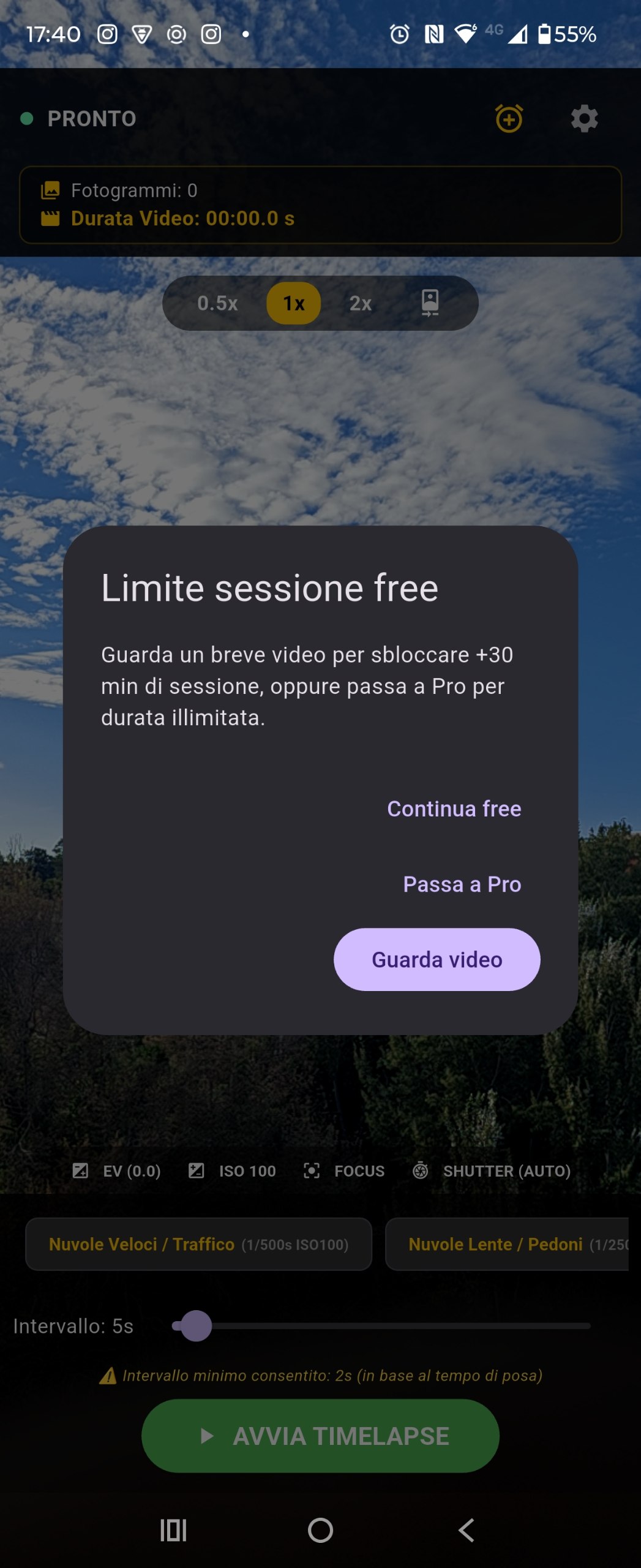
On the free plan, when you hit the session time cap a dialog offers three choices:
- Watch ad — rewarded video, +30 minutes on this session.
- Go Pro — opens the paywall (unlimited duration, no ads).
- Continue free — stay on the limited free cap.
Ads never sit on the live view and never appear when you press Record or Stop. A full-screen ad may show only after a video is saved. Banners can appear on Settings and Scheduled Start.
 Screenshot placeholder
images/guide-session-gate.png
 Screenshot placeholder
images/guide-recording.png
09. Energy-saver overlay
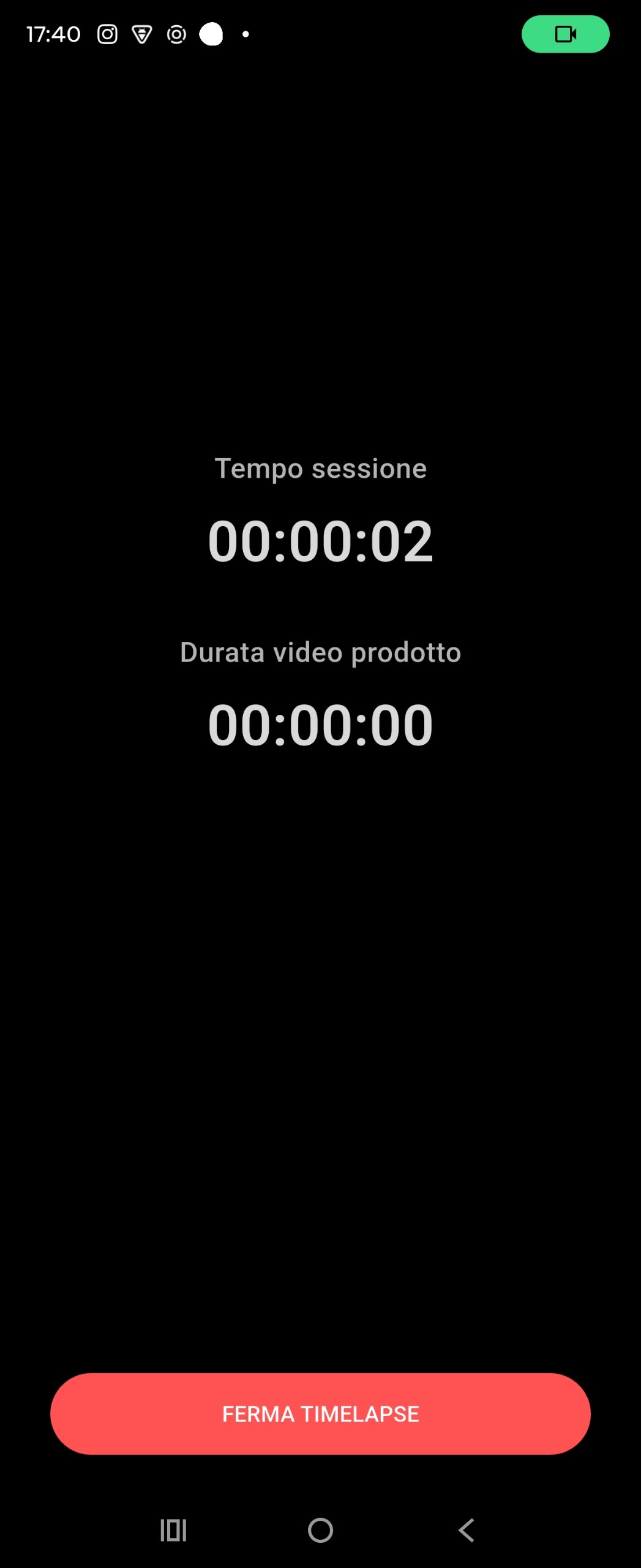
Optional full-black layer during capture to cut OLED power. The phone stays awake — this is not standby. Two clocks remain visible (session elapsed and output video length) plus Stop.
Toggle it in Settings → Video → Display energy saver.
 Screenshot placeholder
images/guide-energy-saver.png
10. Scheduled start
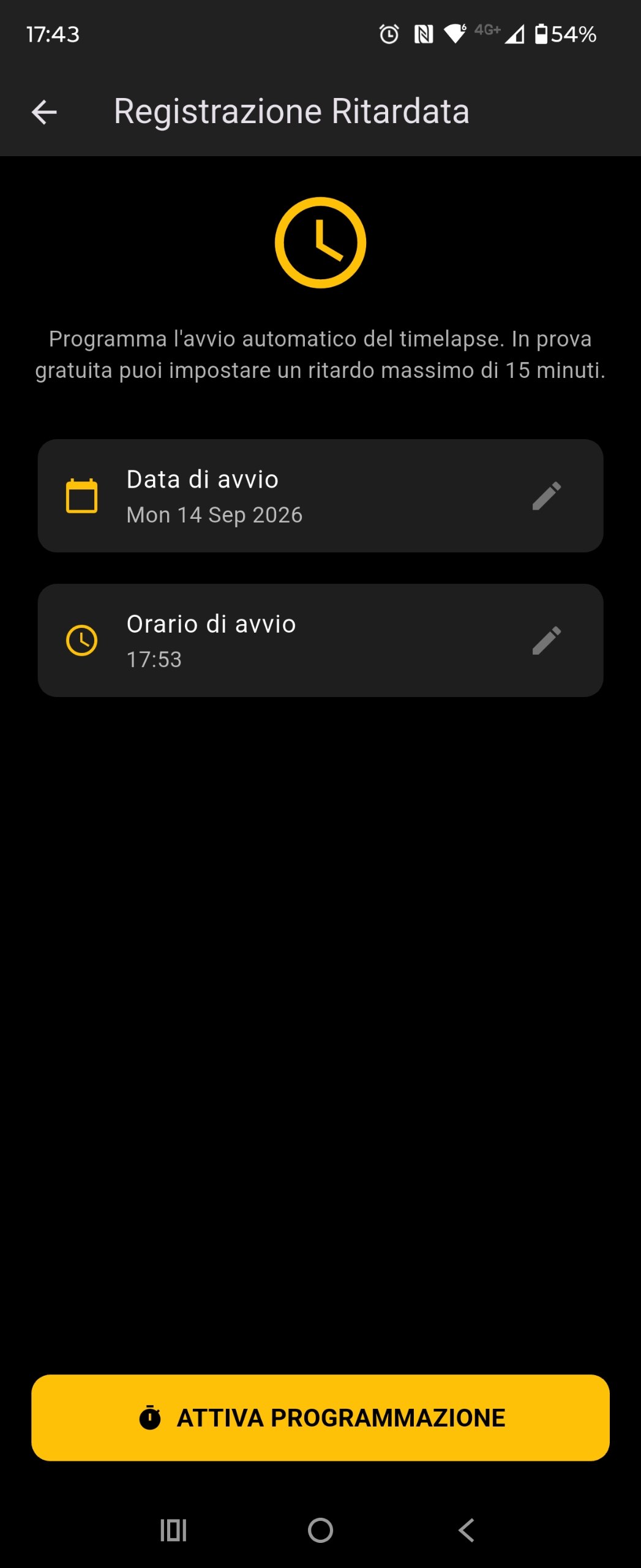
From the camera header, open Scheduled Start. Pick a future date and time, then ACTIVATE SCHEDULE.
- Free — delay at most 15 minutes from now, and at most 3 scheduled starts. If you are at the free session cap, choose Watch ad / Pro / Continue free when you tap Schedule. Capture then starts with no second dialog.
- Pro — schedule up to 7 days ahead, no ads, no extra gates.
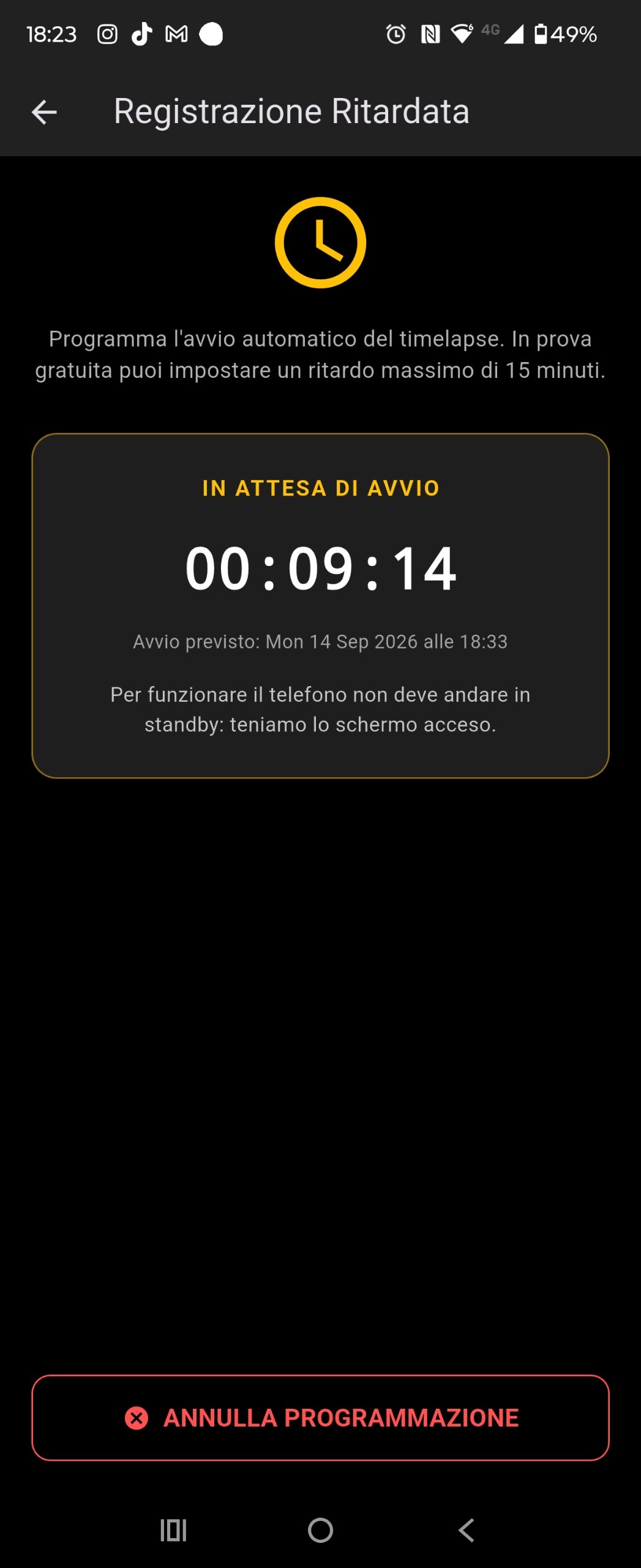
After you confirm, the screen stays on for the whole countdown so Android cannot sleep through the start time. Do not lock the phone during the wait.
images/guide-scheduled-setup.png
images/guide-scheduled-waiting.png
11. Stop & export
Stop encodes immediately if at least one valid frame exists. A progress dialog (and the notification) show percent complete. Do not close the app until it finishes.
The MP4 is cropped to your aspect ratio, encoded on-device, watermarked Generated with Nightlapse, then saved as nightlapse_<timestamp>.mp4 in the NightLapse gallery album. Source JPEGs are deleted after a successful export.
On the free plan an interstitial may appear after the file is in the gallery — never on the camera itself.
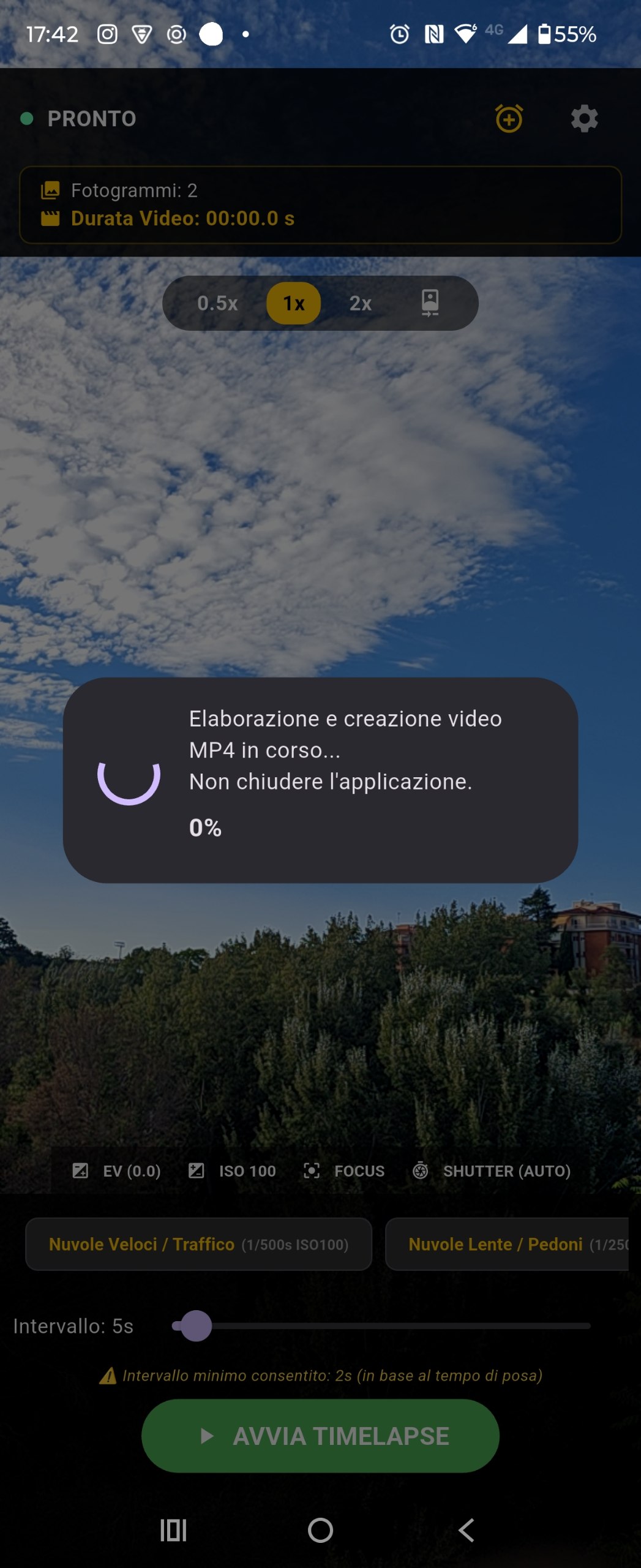
images/guide-encoding.png
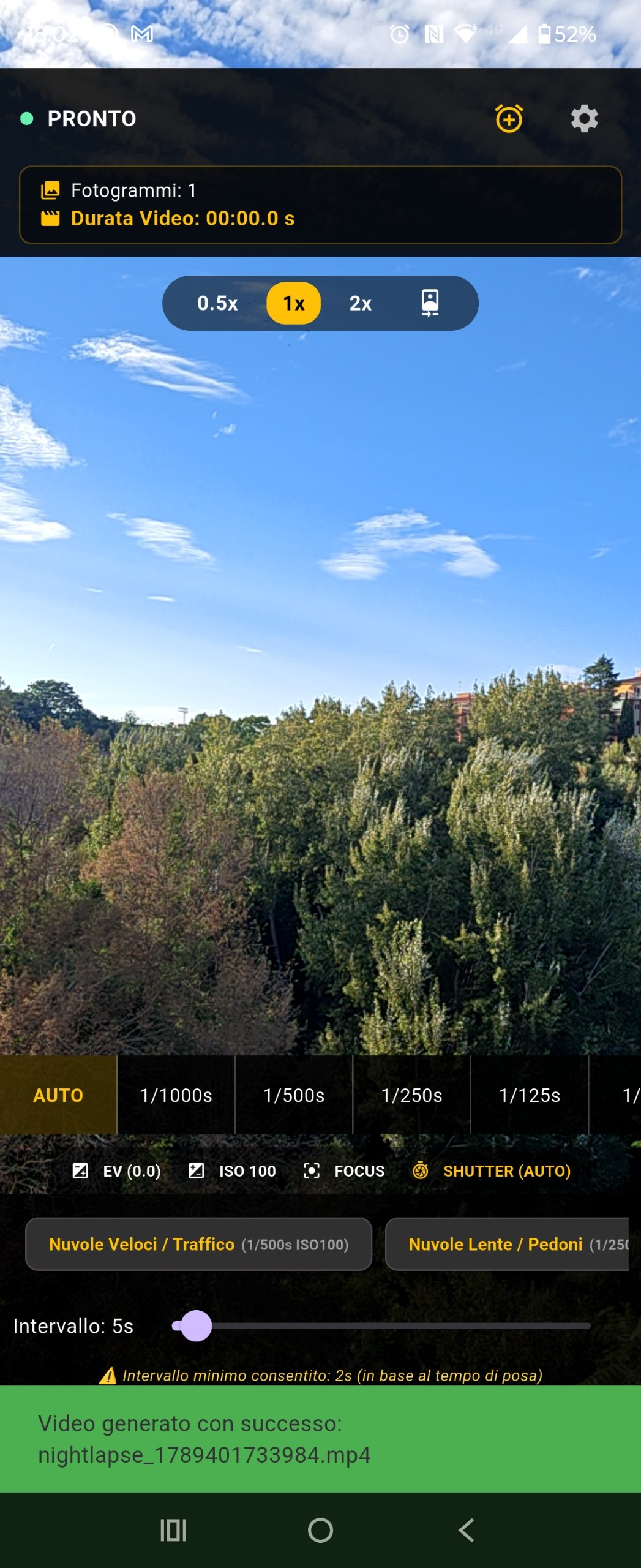
images/guide-saved-gallery.png
12. Video settings
| Setting | Options | Notes |
|---|---|---|
| Display energy saver | On / Off | Default on. OLED black layer only. |
| Framerate | 15 / 24 / 25 / 30 / 60 FPS | Default 30. Higher FPS needs more frames for the same clip length. |
| Aspect ratio | 9:16 · 16:9 · 1:1 · 4:5 | Default 9:16 (Reels / Shorts / TikTok). |
| Photo resolution | HIGH · VERYHIGH · ULTRAHIGH · MAX | Default MAX. Higher stills = heavier encode. |
The second tab, Preset & Shot, shows or hides the chip bar and lets you save a named custom preset (shutter, ISO, interval).
The third tab is Subscriptions (NightLapse Pro).
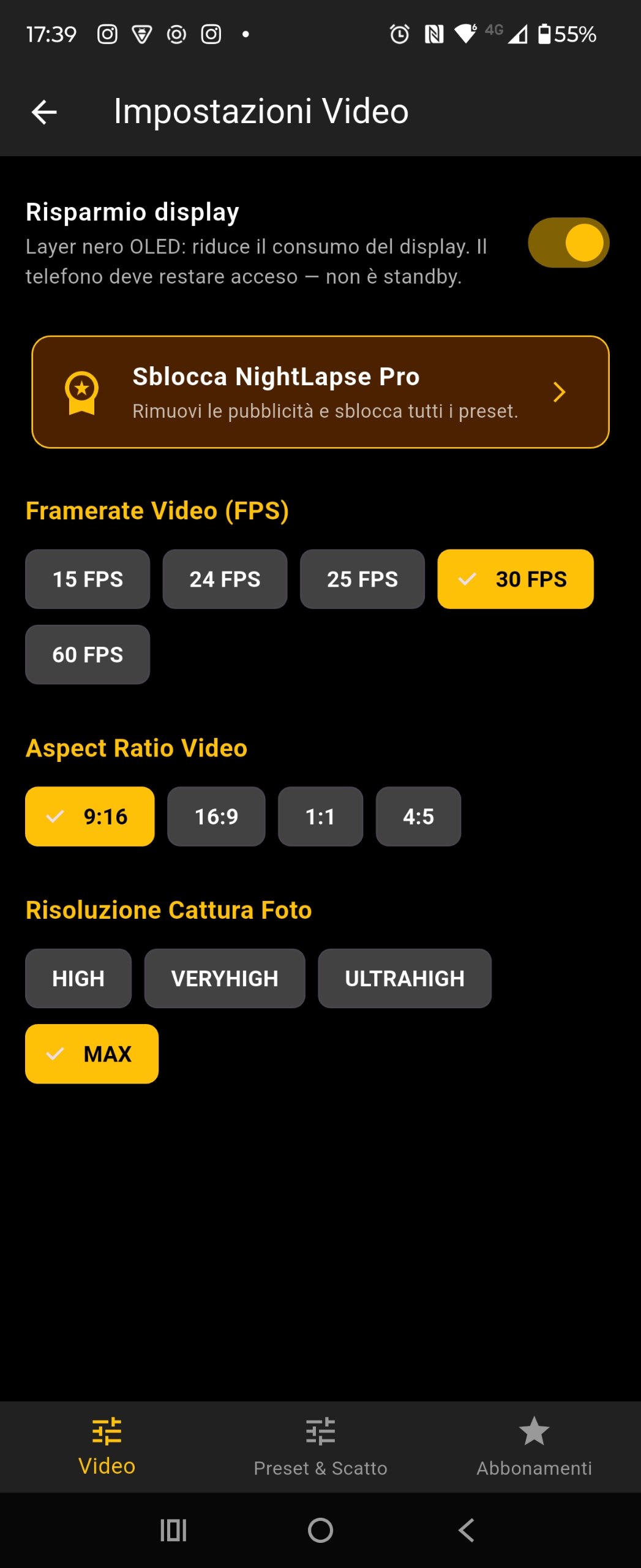 Screenshot placeholder
images/guide-settings-video.png
13. Free vs Pro
| Free | Pro | |
|---|---|---|
| Session length | Capped; +30 min per rewarded ad | Unlimited |
| Ads | Banners on settings / schedule; interstitial after save; rewarded optional | None |
| Scheduled start | 15 min ahead, 3 attempts, one gate at Schedule | Up to 7 days, no gate |
| Lenses, presets, export | Full | Full |
Restore purchases from the Subscriptions tab if you reinstall.
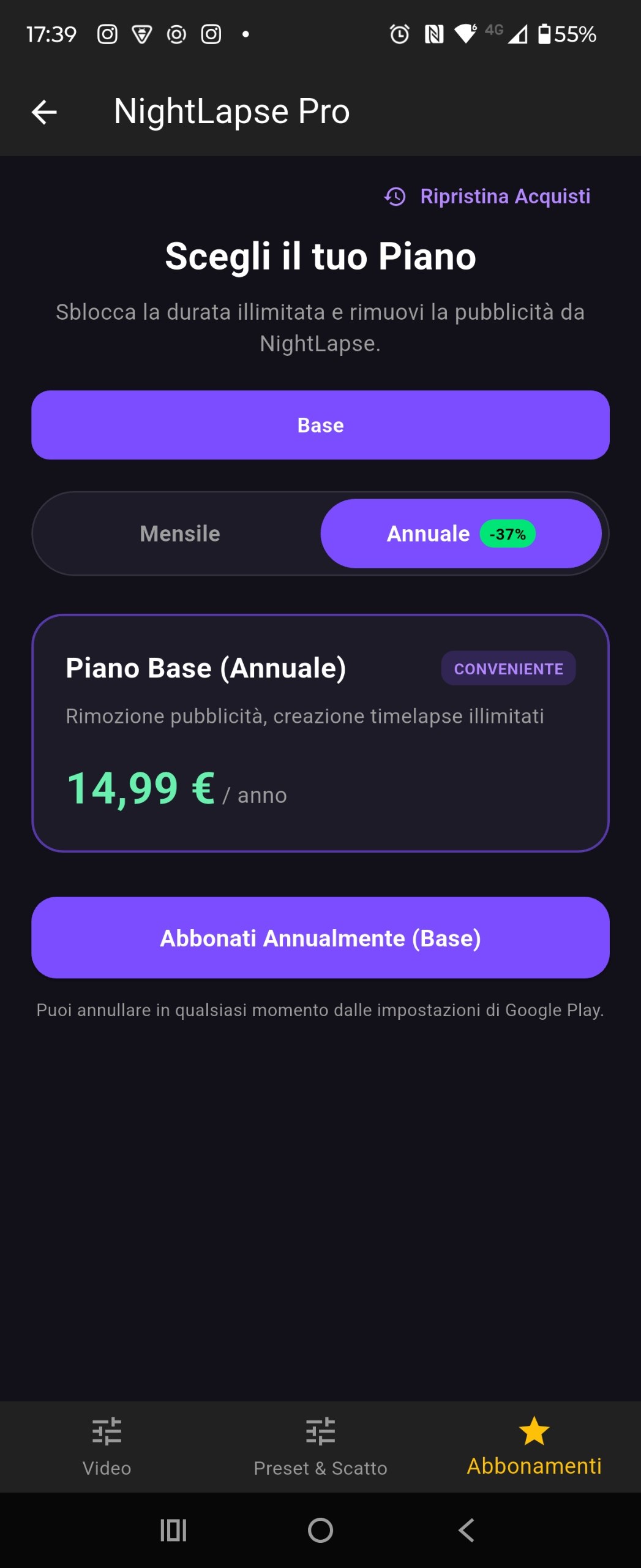 Screenshot placeholder
images/guide-paywall.png
14. Night shooting tips
- Tripod. Any movement between 15–30 s exposures ruins the stack.
- Stars: INF focus, 15 s / ISO 1600 as a start. Dark sites: 30 s / ISO 3200.
- Star trails: 30 s / ISO 800, interval 32 s, leave it for hours.
- Use the last-shot overlay after the first two frames; correct EV before you walk away.
- Charge above 50% and disable extra OEM battery savers. Plug in for all-nighters.
- Energy saver on for OLED. Keep a finger-path to Stop — it stays on the black screen.
- 9:16 + 30 fps matches vertical social apps. Drop to 24 fps if you want a longer clip from the same frame count.
15. Troubleshooting
| Symptom | What to do |
|---|---|
| Camera Busy | Close the stock camera and other apps using the sensor, then retry. |
| Preview black / no cameras | Force-stop, reopen. Grant camera again. Another app may still hold the hardware. |
| Session dies with screen off | Ignore battery optimizations for NightLapse. Confirm the recording notification is still present. |
| Scheduled start missed | The display must stay on during the countdown. Do not lock the phone after Activate schedule. |
| Export fails | Need at least one JPEG. Free space on the device. Stay in the app until the percent dialog closes. |
| Video not in gallery | Open the system gallery → album NightLapse. Allow media permission if the album is missing. |
| Ads on Pro | Subscriptions tab → Restore purchases. |
If an export helped, the app may ask you to rate 5★ or follow @nightlapse_app.